flowchart LR
  B((RDM Support))
  E --- B --- A
  subgraph UB["UU Library"]
    A(Academic Services)
  end
  subgraph ITS[ITS]
    C(RDMS)
    C --> D(Yoda team)
    C --> E(Research Engineering)
  end

style UB fill:#FFCD00
style ITS fill:#FFCD00
style A fill:#fff9dd
style C fill:#fff9dd
style D fill:#fff9dd
style E fill:#fff9dd
HPC and Cloud Facilities at SURF
Access and consultancy @ UU ITS
UU Research Engineering Team
Goal: Increase research impact with advanced digital technologies
Core activities include:
- Projects
- Trainings
- Consultancy (e.g. HPC)
uu.nl/rdm
SURF
Summary
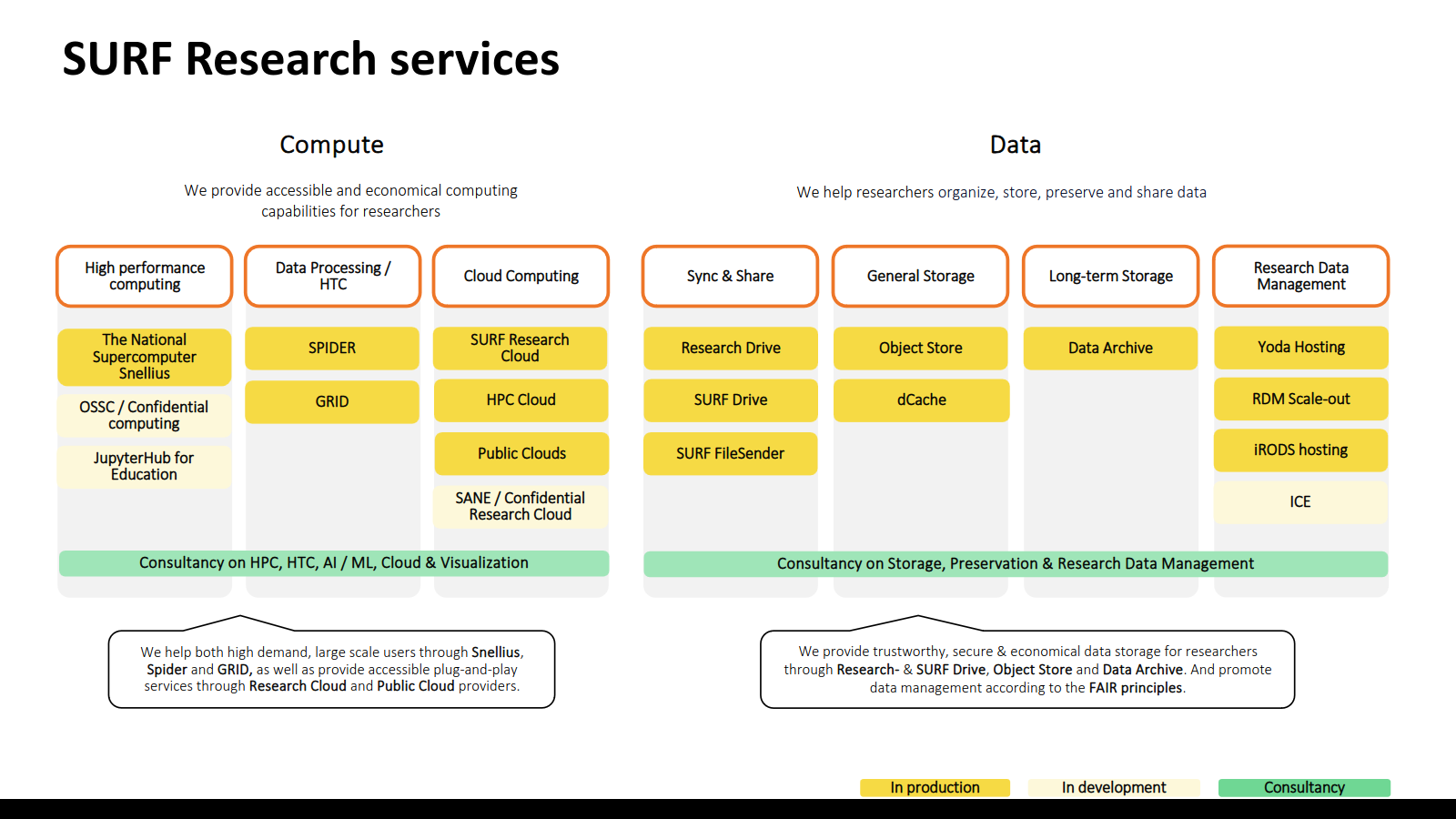
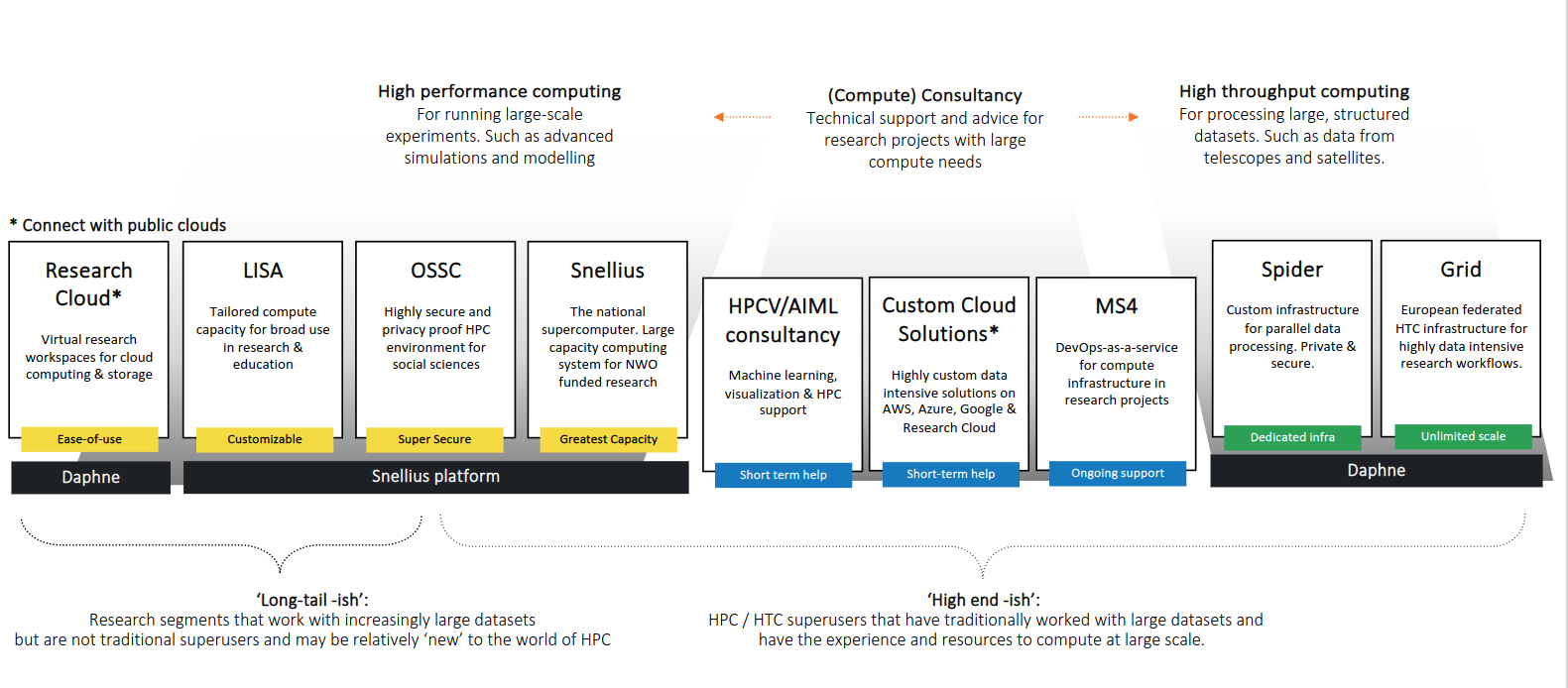
- For ease of use and plug and play compute: ResearchCloud
- For very powerful parallel computing: Snellius
- For structurally processing very large amounts of data: Spider
- For easy storage and data sharing: Research Drive
- For cheap longterm storage: Data Archive
- For cloud solutions on commercial clouds: ResearchCloud & SURFcumulus
Snellius
- Dutch National supercomputer
- Cluster for large scale parallel computing
- Batch job system
- GPU nodes
- Fast interconnect between nodes
Specifications
CPU nodes (>1200):
- 128 CPU cores 256GiB RAM
- Smallest allocation 32 CPU cores
- Scratch storage ~ 6 TB
Full Snellius hardware overview: edu.nl/x6jgc
Specifications
Hi-mem CPU nodes (>100)
- 128 CPU cores 1 TiB RAM (2x4 TiB, 2x8TiB)
- Scratch storage ~ 6 TB
Full Snellius hardware overview: edu.nl/x6jgc
Specifications
GPU nodes
- 4 x Nvidia A100 GPU (72 nodes)
- Smallest allocation 1 GPUs
- 4 x NVIDIA H100 GPUs (88 nodes)
- Scratch storage ~ 6 TB
Full Snellius hardware overview: edu.nl/x6jgc
LUMI
- European supercomputer
- 379.70 PFlop/s
- 5th fastest in the world
- 7th greenest in the world
- Access via SURF (from April)
SURF ReseachCloud
(VRE)
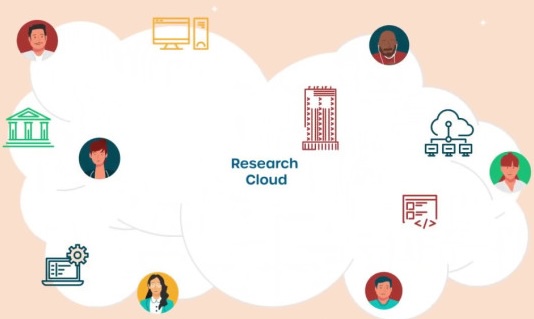
ResearchCloud
Run virtual machines preconfigured for various research needs:
- Programming and analysis (e.g. R-Studio, Jupyter, Matlab).
- Analysis tools (e.g. ASReview, 4CAT).
- Field-specific software (e.g. GIS).
- Webservices (e.g. Galaxy).
- …or simply your own desktop or commandline machine in the cloud.
ResearchCloud
Features:
- Ease of use: launch preconfigured VMs from the portal.
- Easy collaboration inside and outside of UU (SRAM platform).
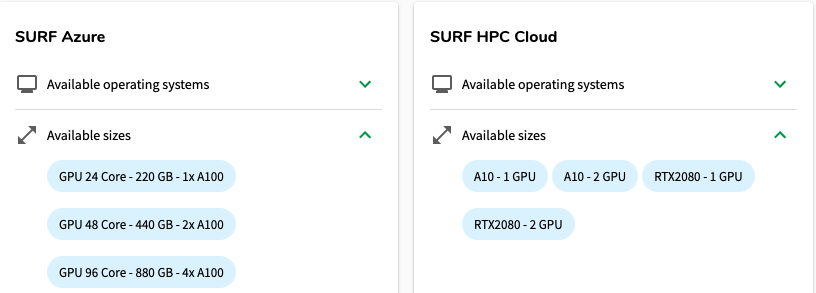
- Run VMs on either SURF HPC cloud, or on commercial cloud platforms.
- Special SANE environments for sensitive data.
- Customizable environments (we can help!).
ResearchCloud
Costs depend on the amount of compute you select and the cloud on which you work. Starts at 25 credits/day (1 CPU), up to 3000…
Our starting budgets are often enough!
ResearchCloud
ResearchCloud
For who is it? Those who…
- need to be able to collaborate or share with others.
- need more compute (CPU/GPU), but don’t need access to Snellius or another cluster.
- have non-traditional HPC needs (analysis tools and services).
ResearchCloud
Some example usecases:
- Training models
- …e.g. in combination with GIS
- Transcribing audio/speech recognition (WhisperX).
- Complex data workflows with multiple users.
- including with sensitive data
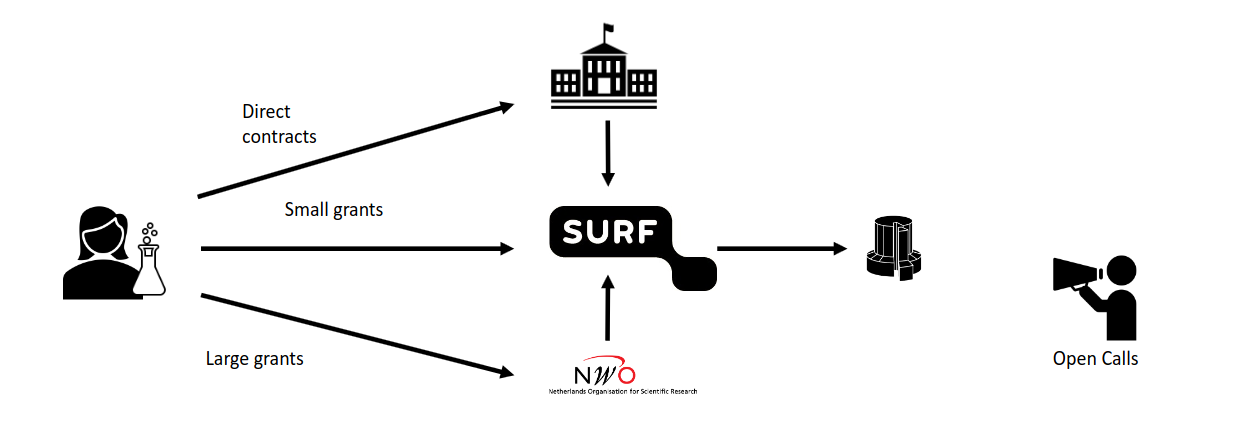
Funding
Getting started at UU
Contact us via RDM support edu.nl/v7y7e
- HPC consultancy meeting
- (some) User support
- Help with compute application
- Free credits for Snellius or ResearchCloud
- Engineering projects
UU credits
- 10.000 credits for Snellius or Research Cloud
- ~10.000 CPU core hours or 50-100 GPU hours
- running tests/benchmarks
- often enough for finishing a project!
- low threshold intake procedure
- Use it to prepare a Small compute application
Links
- This presentation edu.nl/4ej9q
- Getting started via RDM support edu.nl/v7y7e
- Overview compute applications edu.nl/bb6vb
- Snellius edu.nl/dktug
- ResearchCloud edu.nl/abk37
- UU ResearchCloud docs https://github.com/UtrechtUniversity/vre-docs


Jelle Treep & Dawa Ometto - edu.nl/4ej9q